

RPA software that scales beyond tasks
Implement quick automation. Deliver faster outcomes.
Automate repetitive work
Don’t lose valuable time to rote work. RPA keeps your employees focused on the customer – let bots take care of the rest.
Bridge gaps between systems
Eliminate time spent navigating multiple applications. RPA integrates your legacy systems and removes silos.
Transform – digitally
Speed up processes, eliminate errors, and get work done fast. With RPA, you can move on from outdated processes and legacy debt.


Learn how Pega clients gained $34.9M in business value
See Forrester's findings on the Total Economic Impact™ (TEI) of Pegasystems’ Hybrid RPA Approach.
Get the reportKey features of Pega Robotic Process Automation
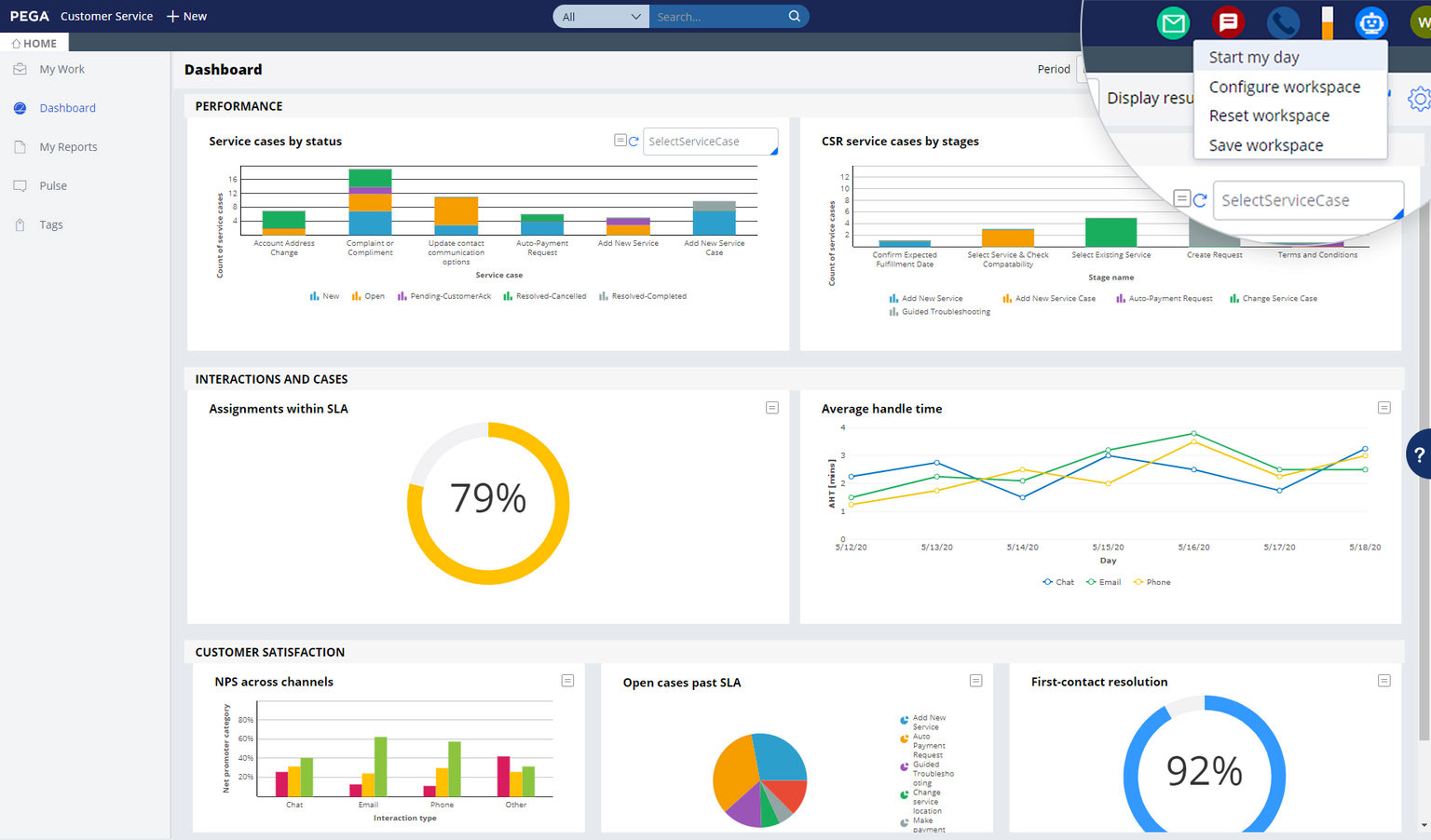
Bots and humans can work side by side
Don’t let your agents get stuck in an endless alt-tab cycle. Pega Attended RPA enables employees to deliver customers the outcomes they need faster, and with greater accuracy.
Bots that offer optimization and path to digital transformation
Legacy systems and old user interfaces are not suited to transformation. Our unattended RPA bots are a breakthrough to smash through these walls.

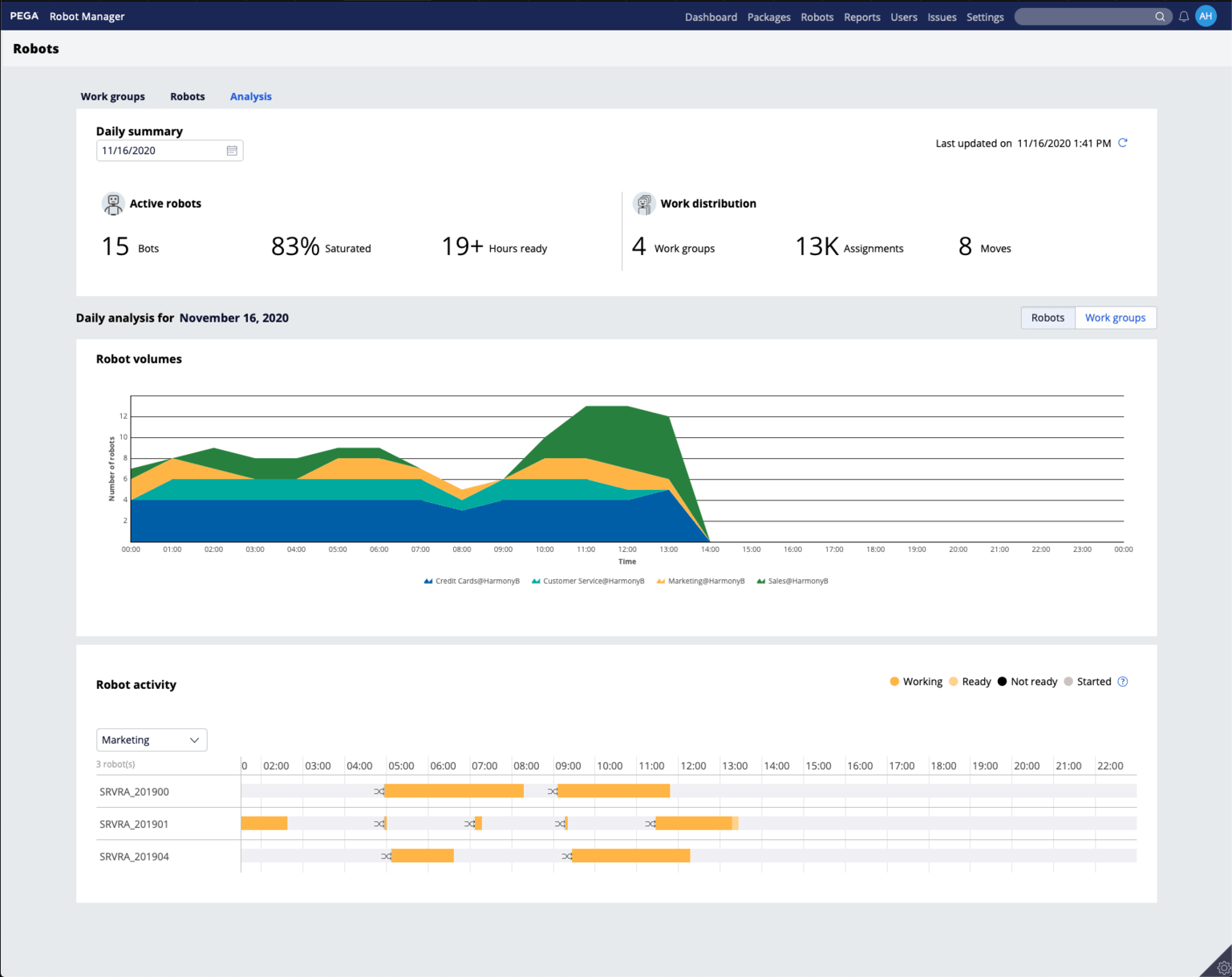
Maximize your digital workforce
It’s finally possible to automatically optimize your robot resources. Pega RPA Auto-balancing is designed to ensure that your investment in process automation is delivering as promised.
Click to expand.
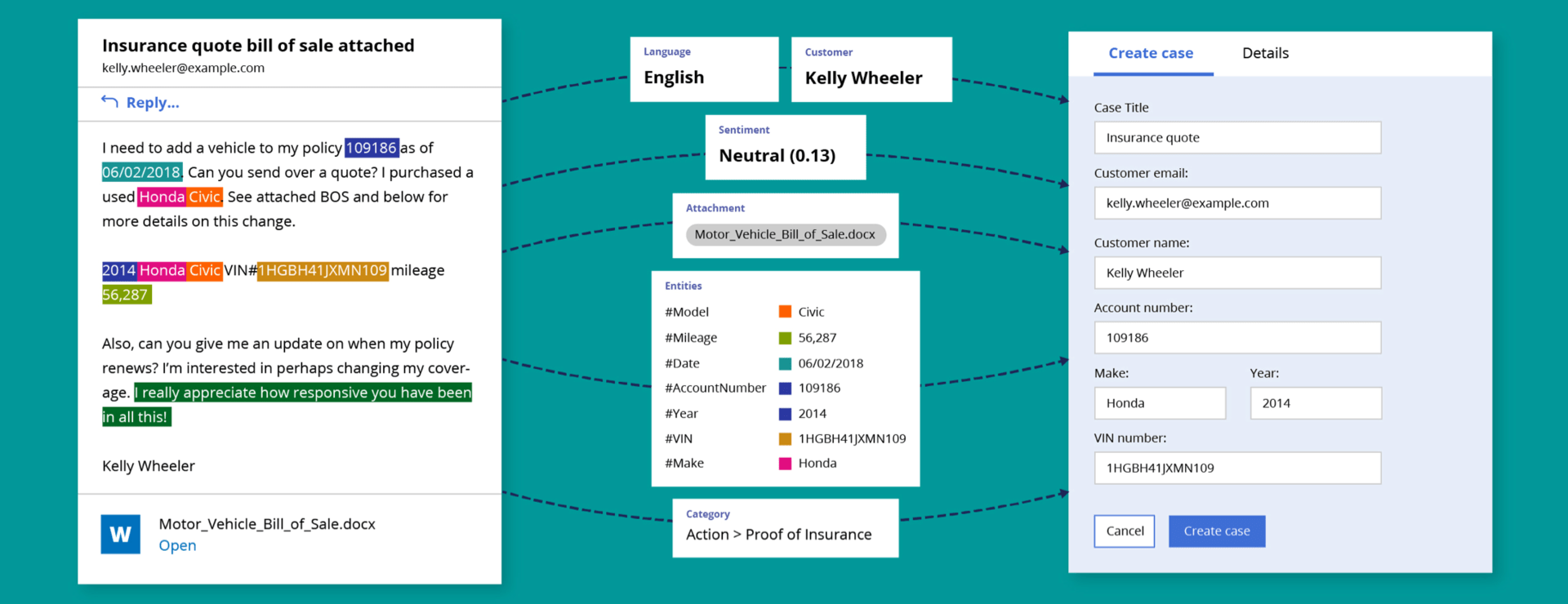
Automate email triage
High email volume leading to slow responses? Pega Email Bot™ uses natural language processing (NLP) and AI to automatically triage and route and respond to emails, speeding time to resolution with accuracy.
Click to expand.
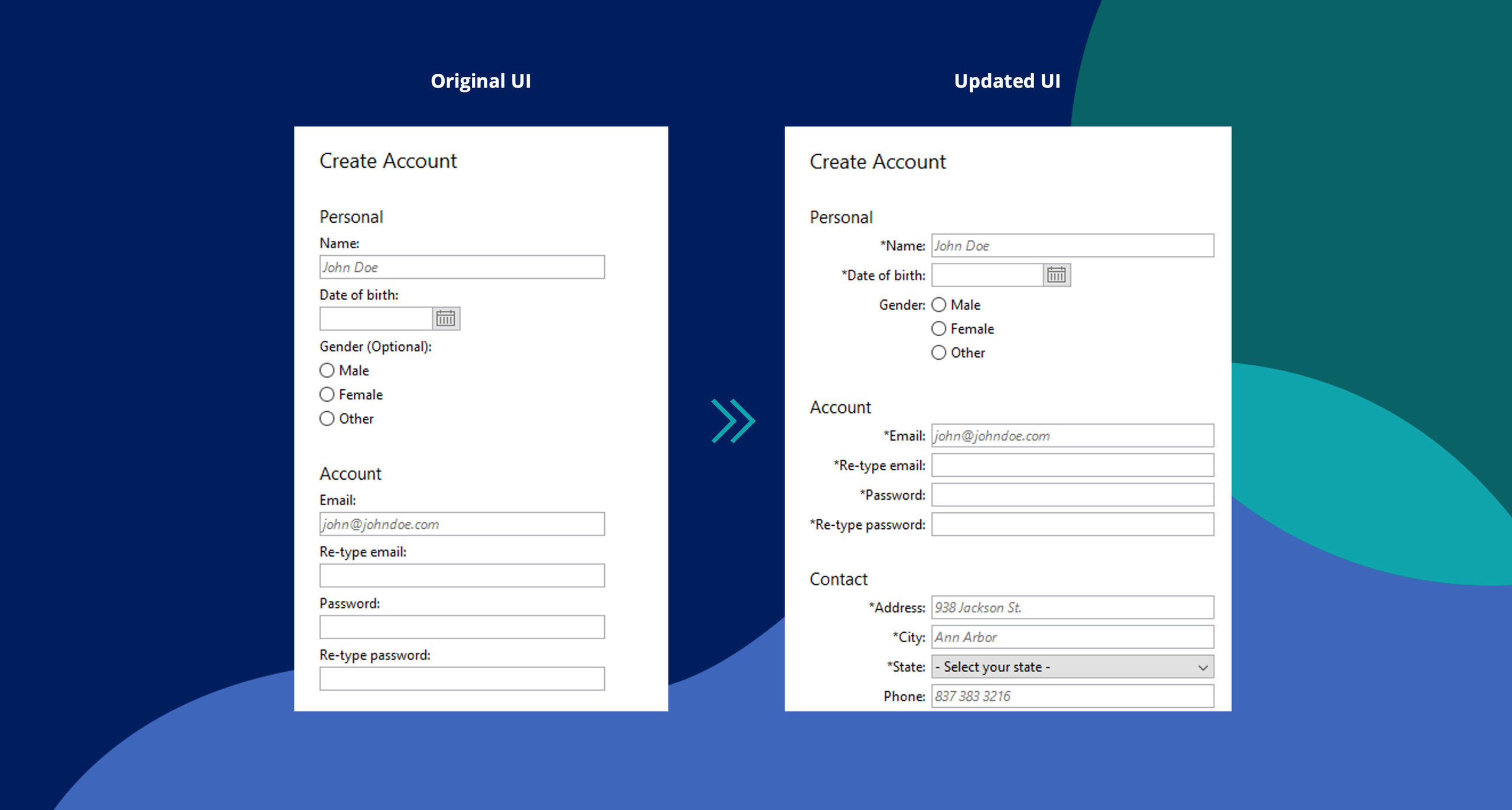
AI for self-healing automations
It takes a lot of upfront work to make RPA succeed. And when applications change, the automations break and leave you at square one. X-ray Vision reduces upfront effort, using AI to self-heal automations as applications change.
Click to expand.
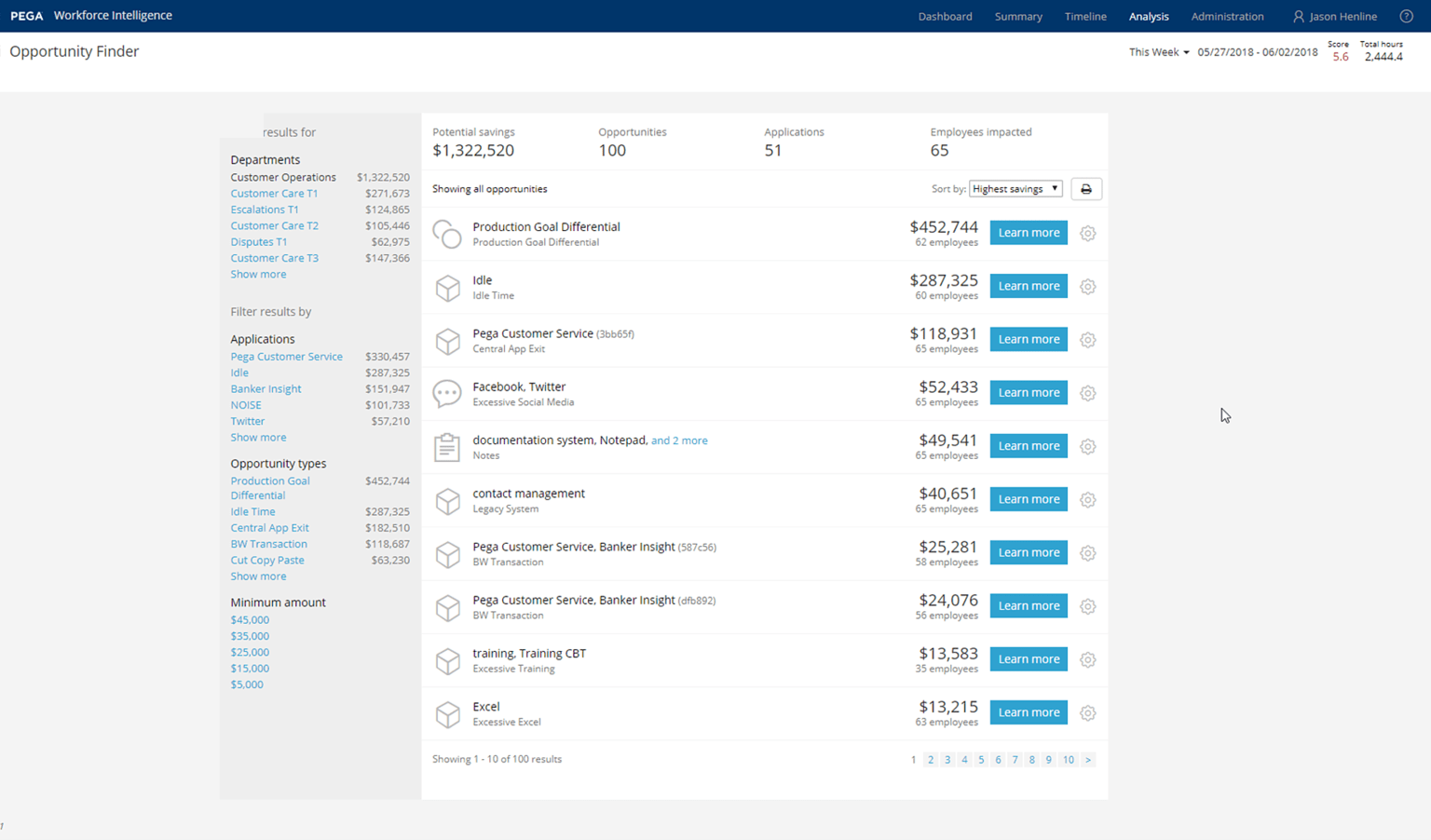
Use desktop mining to automate strategically
Strategic automation starts with the right data. Pega Workforce Intelligence™ uses AI to identify where and when to automate for maximum impact.
Customer case studies
See how customers are using Pega RPA to transform their enterprises.
Case Study
Sun Life Financial: ROI from automation
Learn how Sun Life Financial leveraged attended RPA on its intelligent automation journey, dramatically reducing cycle times.
Case Study
Unum: End-to-end automation increases efficiency
Learn how Unum deployed RPA and intelligent automation to fully transform manual processes.

Case Study
BCBS NC: Driving business value with bots
Learn how Blue Cross Blue Shield of North Carolina used RPA to increase organizational capacity while keeping costs low.
Technical information


Automate intelligently
See how Pega can help you scale with RPA and set you on a continuous transformation journey.